
BOARD READY
Your board pack, drafted by AI from your own numbers.
Board Ready builds your board pack straight from your Power BI model, in your format, with commentary drafted and ready for review.
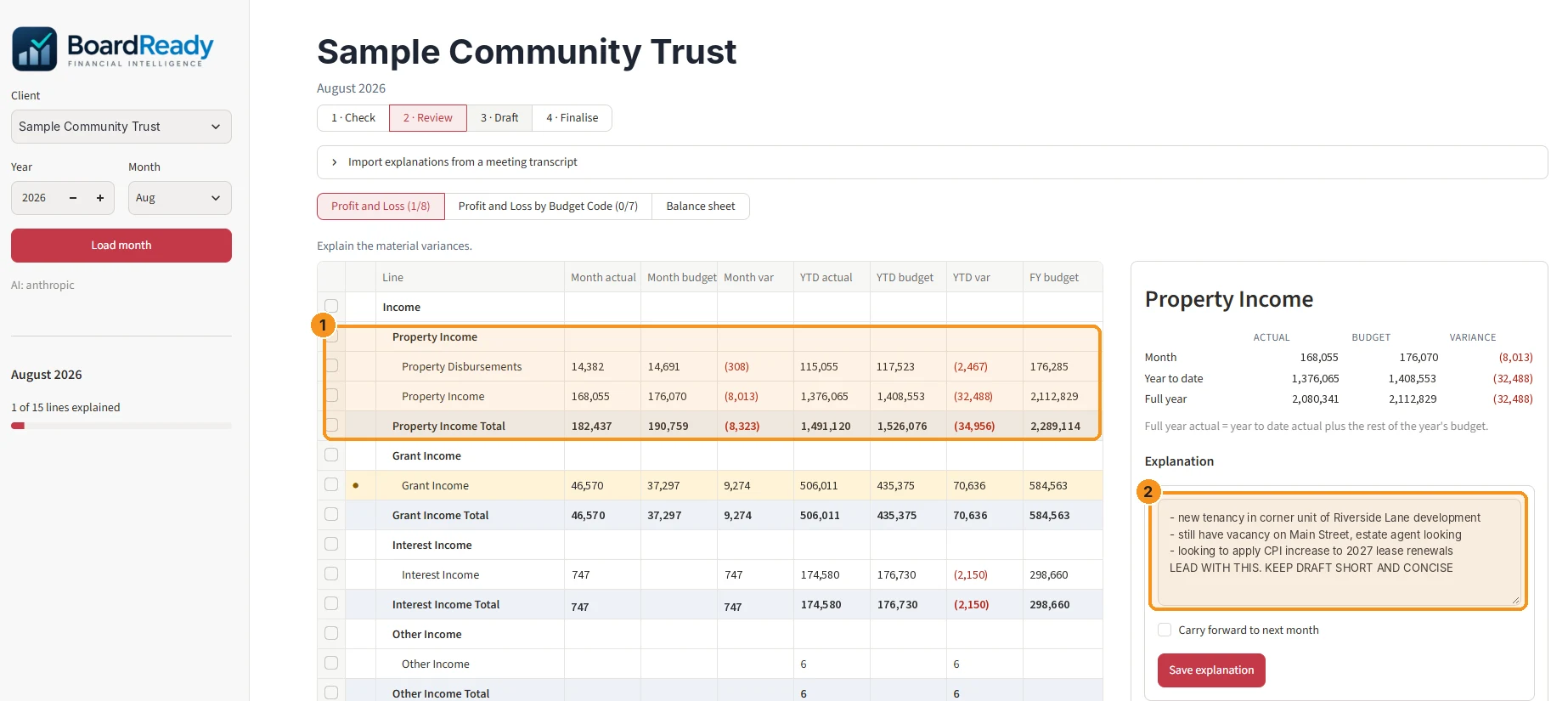
How it works
1
Load the month
Board Ready reads actuals and budget from your Power BI model. Your team signs in with their own Microsoft accounts.
2
Review the pack
See the finished report on screen. Variances that need explaining are flagged. Click any line to see what drove it, down to accounts and transactions.
3
Add the story
Board Ready drafts commentary from the numbers and your notes. Edit it in place. Paste in tables from Excel for anything not in your model.
4
Sign off and send
Lock the month and produce a board-ready PDF in your colours.
From your notes to board-ready commentary
Jot down what you know in plain shorthand. Board Ready turns it into polished commentary, with the numbers filled in from your data.
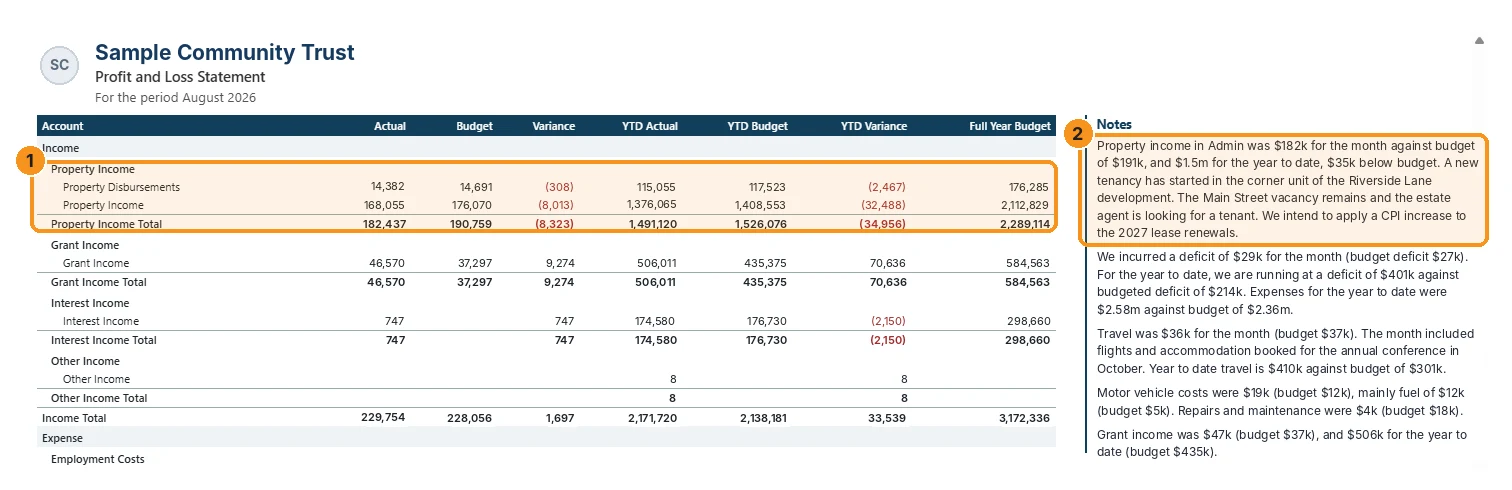
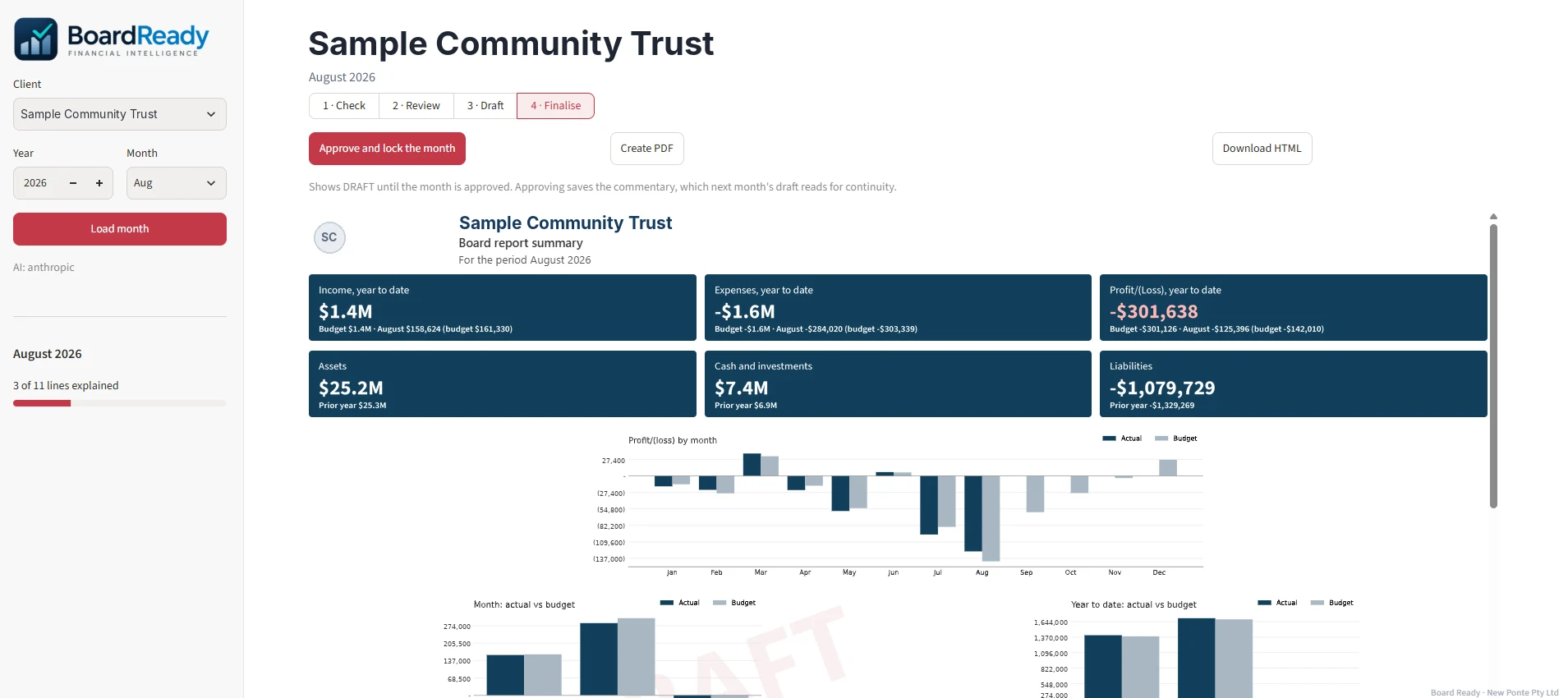
Sample organisation and figures shown.
What makes it different
AI that finds the story
Insights scans the month for the movements worth the board's attention, ranks them by dollar impact and explains what drove them. You choose what goes in.
AI that drafts the words
Commentary is drafted from the numbers and your notes, ready for you to edit, in hours instead of days.
Numbers that stay exact
AI never does the maths. Every figure is calculated from your data, and every number in a draft is checked against it before you see it.
Your pack, not ours
We build it to match your existing layout, cost centres and entities. Your board sees the report they know, only better.
No new system to run
It works from the Power BI model you already have. Nothing to install.
Setup
We map your Power BI model, rebuild your pack layout, and run your first month-end with you. Most organisations are live within two weeks.
You'll need a Power BI model with actuals and budget. Don't have one? We can build it.
Pricing
Setup
From AUD 2,500
Your model mapped, your pack layout rebuilt, and your first month-end run with you.
Then a licence that fits your organisation, with support packages to suit. Talk to us about licensing and support.
Built for organisations whose IT teams ask questions
Sign-in
Your staff use their own Microsoft accounts. No new passwords, and you control access.
Your data
Figures stay in your own Power BI. Each user sees only what their Power BI permissions already allow.
Hosting
Microsoft Azure in Australia, encrypted in transit and at rest.
AI
You choose the AI model, such as Claude or OpenAI. It runs in Microsoft Azure, is not used to train models, and only writes words.
Audit
Every sign-off and change is logged. Security documentation on request.
See it with your own numbers
Give us read access to your Power BI model and we'll send you a free preview: last month's summary page, built from your own numbers. See it working before you commit to anything.
Get a free preview